CAPTCHAs continue to be a common obstacle in automation. They can interrupt browser workflows, slow down data collection, and create friction in repetitive web-based tasks. Because of this, many developers and automation teams look for services that can handle CAPTCHA challenges in a more scalable way.
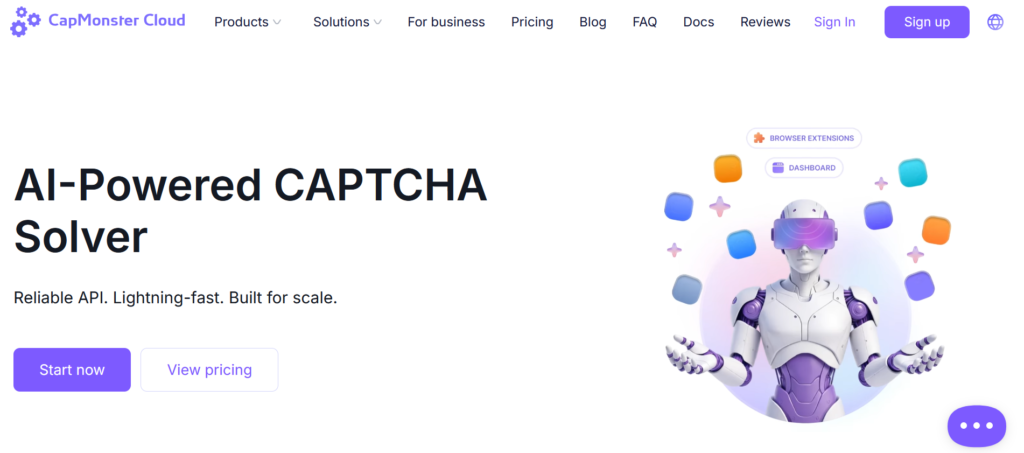
CapMonster Cloud is one of the solutions in this category. It is a cloud-based CAPTCHA-solving service developed for users who need automated recognition of different CAPTCHA types through API-based workflows or browser extensions.
This review looks at how CapMonster Cloud works, its core features, pricing model, use cases, and the main factors to consider before choosing it.
What Is CapMonster Cloud?
CapMonster Cloud is an automated CAPTCHA-solving service developed by ZennoLab. It is designed to help users process CAPTCHA challenges without relying on manual solving. The service is built primarily for technical and semi-technical users who need CAPTCHA solving as part of a larger workflow.
The platform can be used in API-driven environments as well as browser-based scenarios. In practice, that makes it relevant for developers, automation teams, and businesses working with repetitive online operations.
Rather than positioning itself as a casual consumer tool, CapMonster Cloud is better understood as an infrastructure-level utility for automated workflows.
How CapMonster Cloud Works
The platform follows a straightforward workflow.
A user connects software, a script, or another automated system to the service through its API. When a CAPTCHA challenge appears, the task is sent to CapMonster Cloud, processed by the platform, and then returned as a token or text answer depending on the CAPTCHA type.
For users who operate directly in the browser, CapMonster Cloud also offers browser extensions. These extensions are intended to simplify CAPTCHA handling in browser-based workflows without requiring a custom integration from scratch.
The general value proposition is simple: reduce manual interruption and keep automated processes moving.
Supported CAPTCHA Types
One of the notable strengths of CapMonster Cloud is the range of CAPTCHA types it supports. This is important because many automation environments do not rely on just one type of challenge.
Depending on the specific setup and current platform support, users may work with CAPTCHA types such as:
reCAPTCHA v2
reCAPTCHA v3
reCAPTCHA Enterprise
GeeTest
Cloudflare challenges
Text CAPTCHA
other supported CAPTCHA formats listed by the service
This variety makes the platform more flexible for teams that deal with multiple target environments or want one service for several CAPTCHA-solving scenarios.
Key Features
1. Automated Cloud-Based Solving
CapMonster Cloud is designed as an automated cloud service. This makes it suitable for users who need scalable CAPTCHA recognition integrated into larger workflows rather than handled manually.
2. API Integration
The API is one of the platform’s main advantages. It allows users to connect CAPTCHA solving directly to scripts, bots, apps, or internal systems. For technical teams, this is usually a more practical approach than relying on manual or semi-manual solutions.
3. Browser Extensions
CapMonster Cloud also provides browser extensions for Chrome and Firefox. These can be useful for browser-centered tasks where users want to reduce manual CAPTCHA handling without building a custom implementation.
4. Broad CAPTCHA Coverage
Support for multiple CAPTCHA types improves operational flexibility. Teams working across different websites or automation cases may prefer a solver that can cover several challenge formats rather than a single narrow use case.
5. Usage-Based Pricing
The platform follows a pay-as-you-go model. That can be attractive for users who want flexible costs tied to actual activity instead of a fixed monthly subscription.
Pricing Overview
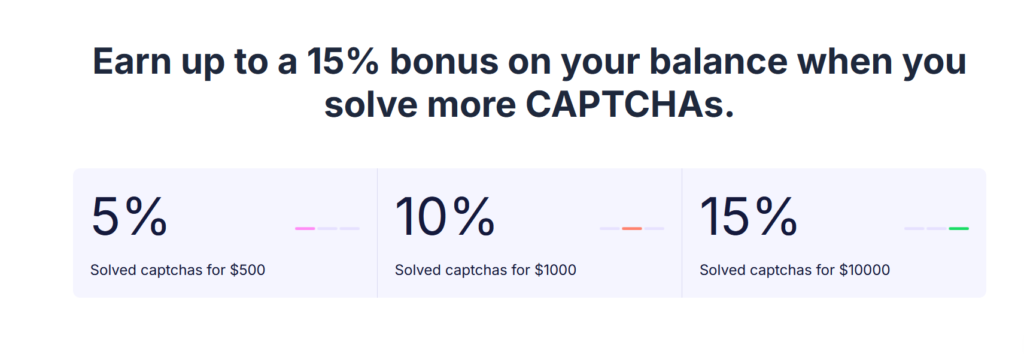
CapMonster Cloud uses usage-based pricing, with rates varying depending on the CAPTCHA type. This pricing structure can be practical for teams with changing demand, since it allows them to scale usage up or down without being locked into a rigid plan.
As with any service in this category, pricing should be checked directly before purchase, since rates and supported task types may change over time.
From a budgeting perspective, the key benefit is predictability: users generally know they are paying based on task volume rather than a flat package that may or may not match real demand.
Where CapMonster Cloud Fits Best
CapMonster Cloud is most relevant for workflows where CAPTCHA challenges create repeated operational friction.
Typical use cases may include:
browser automation
scripted web interactions
data collection workflows
repetitive form handling
technical QA or testing flows
high-volume automated processes
Its strongest fit is with teams that already work with automation infrastructure and want CAPTCHA solving to be one integrated component of that stack.
What Makes It Different
CapMonster Cloud competes in a crowded category, so the question is not simply whether it solves CAPTCHAs. Many services do that.
What makes it more interesting is the combination of:
cloud-based automation
API-oriented workflow
browser extension support
support for multiple CAPTCHA types
usage-based pricing
focus on technical and scalable use cases
For users comparing tools, these practical factors are often more important than generic marketing claims.
Pros and Cons
Pros
supports multiple CAPTCHA types
built for automation workflows
API-based integration
browser extension support
usage-based pricing
suitable for scalable task volume
Cons
best suited for technical users or teams with integration needs
not every workflow will perform the same way across all target sites
users should test their specific use case before scaling
may be less suitable for users looking for a simple no-setup tool
Who Should Consider It
CapMonster Cloud is worth considering for:
developers building automation tools
teams managing repetitive browser or script-based tasks
businesses handling large volumes of web interactions
users who need CAPTCHA solving as part of a broader technical workflow
It is less likely to be the right fit for users who want a completely non-technical experience or expect every CAPTCHA scenario to work identically without testing.
Things to Consider Before Choosing It
Before adopting any CAPTCHA-solving service, it makes sense to evaluate a few practical points:
which CAPTCHA types are most important for your workflow
whether you need API integration, browser extension support, or both
how much setup your team is comfortable with
whether usage-based pricing matches your traffic and volume expectations
how the service performs in your actual working environment
These factors matter more than broad claims, because real performance depends heavily on the use case.
Final Verdict
CapMonster Cloud is a solid option for users who need cloud-based CAPTCHA solving within structured workflows. It offers a combination of API access, browser extensions, support for multiple CAPTCHA types, and flexible pricing that makes it relevant for developers and automation-focused teams.
Its main strength is not flashy positioning, but practical utility. For the right user, that is often more valuable.
At the same time, it should be evaluated realistically. It is best treated as a technical tool that needs to be tested against real workflows before being adopted at scale. For teams that approach it that way, CapMonster Cloud can be a useful addition to their automation stack.

