Writing related work on the computer can take a lot of time. It can be writing emails, documents, notes, or messages. Most of us already know how time-consuming it can be. You can easily get distracted or mental fatigue while writing long textual content.
Voice Control Pro is built for people who write throughout the day. Instead of stopping to type, you can simply speak, and your words appear instantly on the screen. In this review, we’ll explore how it works, its main features, pricing, and whether it’s worth using in 2026.
What is Voice Control Pro?
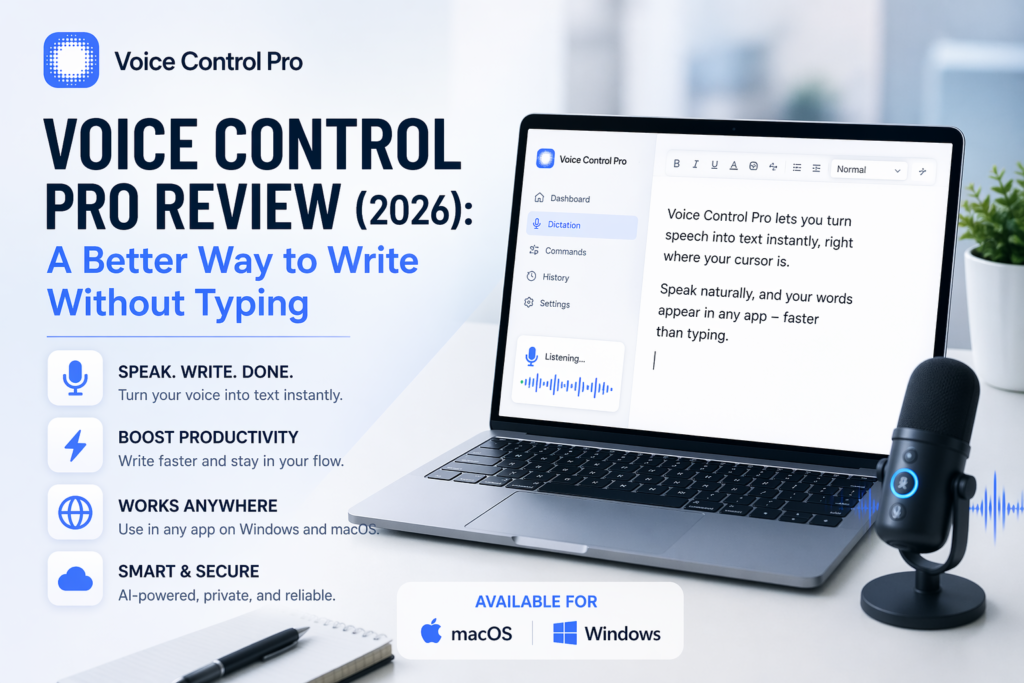
Voice Control Pro is a voice-to-text and automation tool. It helps you write and control your computer using speech. It is designed to replace or reduce your typing related work. To do this, it allows you to speak naturally while working.
The tool integrates speed, simplicity, and everyday usability. You don’t need to have technical knowledge in order to use it. This makes it suitable for both beginners as well as professionals.
How Voice Control Pro Works
The concept behind the tool is simple. All you need is to press a shortcut key, start speaking, and your words appear instantly wherever your cursor is placed.
This means you can easily:
- Write emails without typing
- Create documents faster
- Take notes on the go
- Fill forms quickly
It works across most of the applications. So you don’t need to switch tools or change your workflow. Your productivity will surely increase.
Key Features of Voice Control Pro
1. Instant Voice Writing
Voice Control Pro is specifically built for the people who write all day. It includes messages, documents, notes, and emails. All you need is just to simply speak and your words appear instantly.
This helps you stay focused and the workflow will run without any interruption.
2. Works in Any Application
The tool works across multiple apps, which makes it highly flexible.
You can use it in:
- Web Browsers
- Email platforms
- Word processors
- Chat apps
- Note-taking tools
Wherever you normally type, now you keep your flow running just with your voice.
3. Natural Speech Recognition
You don’t need to speak in a robotic way. Voice Control Pro understands natural speech patterns, which makes it easier to use.
It can handle full sentences and longer inputs without requiring constant pauses.
4. Fast and Smooth Performance
The tool offers great performance and feels responsive. It responds quickly to your voice input. So there’s negligible delay between speaking and seeing results.
This makes the complete experience feel natural and efficient.
5. Simple Interface
Voice Control Pro keeps the complete process clean and easy. You get benefits like:
- No complex setup
- Easy navigation
- Beginner-friendly design
You can start using it within minutes.
6. Compatibility
Voice Control Pro is available for both macOS and Windows, making it easy to use across different devices.
Pricing
Voice Control Pro offers a flexible pricing model to suit the needs of different users. The Free plan allows unlimited offline dictation with AI-powered speech-to-text, 25+ language support, and full privacy in local mode.
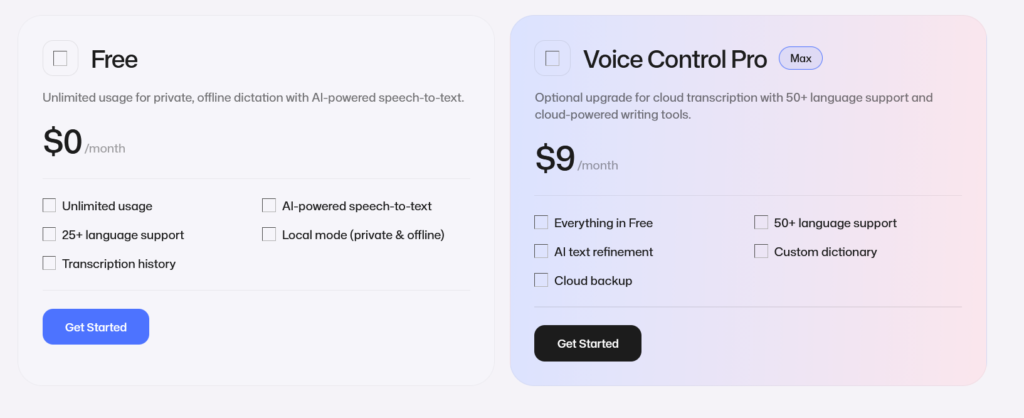
For advanced features, the Pro plan costs $9/month and adds cloud transcription, 50+ languages, AI text refinement, a custom dictionary, and secure cloud backup for a smoother and more powerful writing experience.
Voice Control Pro is available for both macOS and Windows, making it easy to use across different devices.
Pros and Cons
Pros
- Speeds up writing related tasks
- Easy to use for beginners
- Works across multiple apps
- Helps maintain workflow without interruptions
- Support both macOS and Windows
Cons
- Needs a good microphone for best accuracy
- Takes some time to get comfortable
Real-World Example
Imagine you are writing an email.
Instead of typing each sentence, you just speak your thoughts or speak the email content. The text appears instantly. It allows you to finish the email in very less time.
Now you can apply the same process to:
- Blog writing
- Note-taking
- Messaging
It can easily save a lot of time over a full day.
Performance
Voice Control Pro performs great in everyday use.
- Voice recognition is accurate
- Response time is quick
- Works smoothly with most of the apps
For best results, it’s recommended to:
- Use a clear speaking style
- Have a stable microphone
- Work in a quiet environment
Who Should Use Voice Control Pro?
This tool is best suited for:
- Writers and bloggers
- Marketers and professionals
- Students
- Remote workers
- Anyone who types frequently
It is especially useful for people who want to reduce typing and work faster.
Is Voice Control Pro Worth It?
If writing is a big part of your daily routine work then Voice Control Pro can make a noticeable difference.
It helps you:
- Write faster
- Stay focused
- Reduce effort
While it may take a few days to get adjusted with software, the long-term benefits are clear.
Final Verdict
Voice Control Pro is a simple and effective tool for anyone who wants to replace typing with speaking and save their time.
It does not have unnecessary features but focuses on real-use cases.
With instant voice writing and app compatibility, it provides an effective solution for improving productivity.
If you want to write faster, stay in your flow, and reduce manual effort then this tool is definitely worth trying in 2026.

