If you work with vinyl cutters, you already know the biggest challenge is not the machine. In fact it’s the software. Many tools are either too basic or too complex, making design and cutting slow and frustrating.
That’s where EasyCut Pro comes in. It is designed to simplify the entire process. It includes creating designs and sending them directly to your cutting machine.
In this review, we’ll break down what EasyCut Pro offers, its key features, pricing, and whether it’s the right choice for your work.
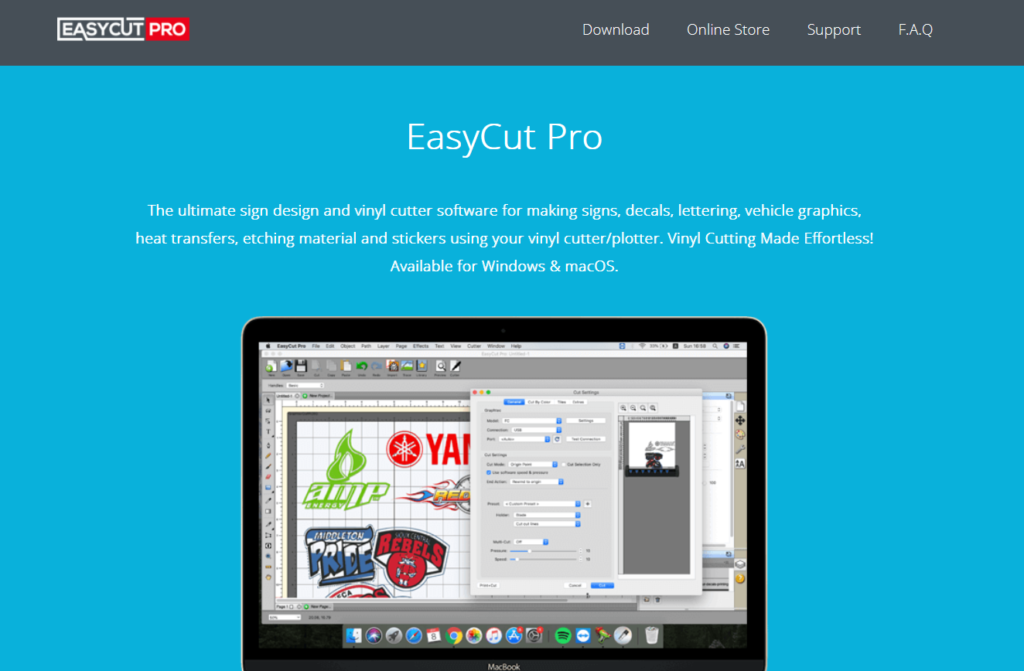
What is EasyCut Pro?
EasyCut Pro is a professional vinyl cutting and sign design software used to create signs, logos, decals, stickers, and more. It works with a wide range of cutting plotters and helps users turn designs into ready-to-cut files.
The software is built for:
- Sign makers
- Print shops
- Small businesses
- Hobby users working with vinyl cutters
It combines design tools and cutting controls in one place, so you don’t need multiple apps to complete your work.
Designed to Simplify the Cutting Workflow
One of the biggest advantages of EasyCut Pro is how it connects design and production.
Instead of designing in one tool and exporting to another, you can:
- Create designs
- Edit them
- Send them directly to the cutter
This saves time and reduces errors during file conversion.
The software also supports many file formats like SVG, AI, PDF, EPS, and DXF, making it easy to import designs from other tools.
Key Features of EasyCut Pro
1. Powerful Design and Editing Tools
EasyCut Pro gives you full control over your designs.
You can:
- Draw shapes from scratch
- Edit nodes and curves
- Add text with advanced styling
- Apply effects like shadows and 3D transformations
These tools help you create professional-quality designs without needing separate graphic software.
2. Image Vectorization
One of the most useful features is image tracing.
You can convert images (JPG, PNG, etc.) into vector paths that are ready for cutting.
This is especially helpful if you:
- Want to turn logos into cut files
- Work with custom designs
- Don’t have vector files available
3. Contour Cutting for Precision
EasyCut Pro supports contour cutting, which allows precise outlines around designs.
This feature is important for:
- Stickers
- Labels
- Decals
It ensures clean and accurate cuts, even for complex shapes.
4. Advanced Cutting Controls
The software gives you full control over how your cutter works.
You can:
- Cut by color
- Adjust cutting order
- Duplicate cuts
- Set origin points
- Manage print-and-cut workflows
These options make it easier to handle both simple and complex projects.
5. Material Saving with Nesting
The nesting feature helps arrange designs efficiently on material.
This reduces waste and saves money, especially when working on large projects.
6. Wide Cutter Compatibility
EasyCut Pro supports a large number of vinyl cutters from brands like Roland, Graphtec, Mimaki, and more.
This makes it a flexible option, whether you are using an entry-level machine or a professional setup.
7. Built-in Shape Library and Effects
The software includes:
- 350+ ready-made shapes
- Text effects
- Design templates
This helps beginners get started quickly without creating everything from scratch.
Performance and Ease of Use
EasyCut Pro is designed to be user-friendly, even for beginners.
- The interface is clean and simple
- Most tools are easy to find
- Basic tasks can be done quickly
At the same time, it also offers advanced features for experienced users.
Recent updates have improved speed and performance, making design and cutting faster than older versions.
Pricing
EasyCut Pro uses a one-time pricing model, which is a big advantage compared to subscription-based tools.
- Full Version Price: Around $199.95 (lifetime license)
There is also:
- A free trial available
- Paid upgrades for existing users
This pricing makes it a good long-term investment, especially for small businesses.
Pros and Cons
Pros
- All-in-one design and cutting software
- Supports many file formats
- Works with a wide range of cutters
- Strong vector editing and tracing tools
- One-time payment (no monthly fees)
Cons
- Takes time to learn advanced features
- Interface may feel basic compared to modern design tools
Who Should Use EasyCut Pro?
EasyCut Pro is a great choice for:
- Sign makers and print shops
- Vinyl cutting businesses
- DIY creators and hobby users
- Designers working with cutting plotters
If your work involves creating and cutting designs regularly, this software can make your workflow smoother.
Final Verdict
EasyCut Pro is a reliable and practical tool for anyone working with vinyl cutting machines.
It brings together:
- Design tools
- Cutting controls
- File compatibility
in one simple platform.
While it may not replace advanced graphic design software, it does exactly what it is built for—making vinyl cutting easier, faster, and more efficient.
If you want a one-time investment that improves your cutting workflow and saves time, EasyCut Pro is definitely worth considering.

