Running a small business can get messy. Not because the work itself is always difficult, but because there are so many little things to remember. A customer asks for a quote. Someone else needs a follow-up. An invoice is still waiting to be sent. And somewhere in your inbox, there is another enquiry you completely forgot about.
I’ve seen how easily these things can pile up when everything is managed manually.
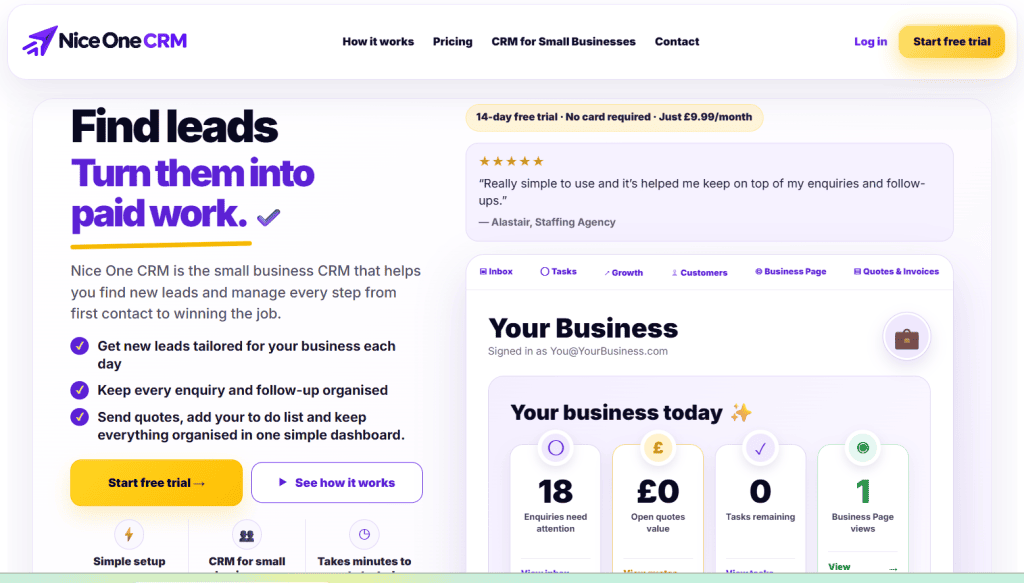
Nice One CRM is designed to make this part of running a business a little easier. It brings customer details, enquiries, quotes, invoices, tasks and follow-ups together in one place. There is also a Lead Finder feature for discovering potential business prospects.
The main idea is simple: spend less time dealing with scattered paperwork and more time looking after customers.
But does Nice One CRM make sense for a small business? Let’s take a closer look.
What Is Nice One CRM?
Nice One CRM is a customer management and business toolkit aimed at small businesses, freelancers, sole traders and local service providers.
It isn’t trying to be an enormous enterprise sales platform. Instead, it concentrates on the tasks that business owners deal with every day.
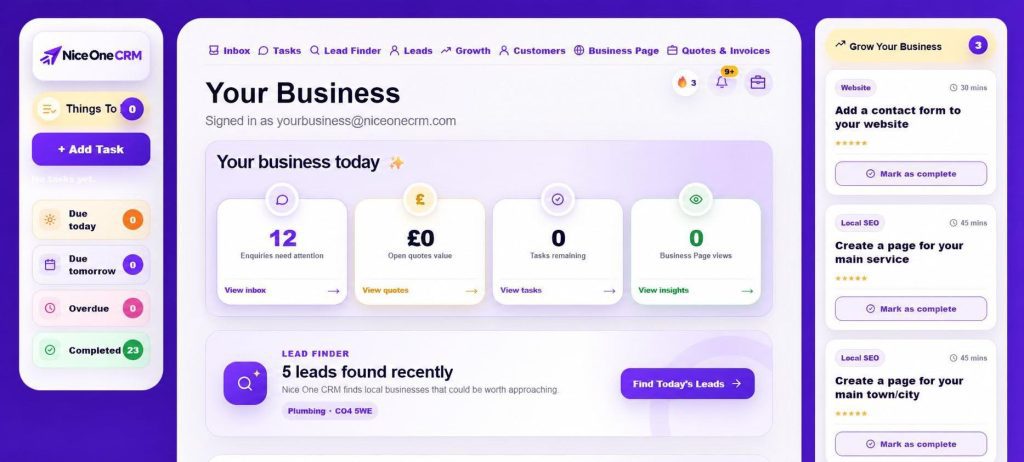
Think about a small cleaning company. The owner receives enquiries from different customers, prepares quotes, schedules follow-ups and sends invoices after completing jobs. Managing everything through separate spreadsheets and email conversations can become frustrating.
Nice One CRM provides a central place to organise these activities. You can keep track of prospects, maintain customer records and see which opportunities need your attention.
Nothing particularly complicated about that. And honestly, that is part of the appeal.
Key Features
1. Lead Finder: Finding Potential Customers
Finding new customers is often harder than managing existing ones. It will become a headache especially when you don’t have a dedicated sales team.
Nice One CRM has a feature called Lead Finder to help users discover potential businesses they want to contact. You can review prospects, save interesting leads and keep outreach ideas organised.
For example, suppose you run a small web design agency and want to work with local businesses. You can use a prospecting workflow to identify companies that might benefit from your services, then research each business before reaching out.
Of course, a lead is only a starting point. You still need to determine whether the business is a good fit and write a relevant & personalized message. Sending the same generic pitch to everyone rarely produces great results.
Still, having a place to organise your prospects can save some unnecessary back-and-forth.
2. Customer Records and Enquiry Management
Customer information tends to spread across different platforms over time. Some details are in emails, others are in WhatsApp conversations, and a few are probably sitting in an old spreadsheet.
Nice One CRM helps bring these records together.
You can save customer information, add notes, record enquiries and keep track of opportunities as they progress. When a customer contacts you again, you have a better chance of finding the relevant details without digging through old messages.
This is especially useful for businesses handling several enquiries at once. Even a small improvement in organisation can make the working day feel less chaotic.
3. Follow-Ups That Don’t Get Forgotten
Here’s a familiar situation. You send a quotation to a potential customer. They seem interested, so you decide to follow up in a couple of days.
Then work gets busy. Three days pass. You remember the quote a week later, by which time the customer may have hired somebody else.
Nice One CRM helps you organise follow-ups so these opportunities are less likely to slip through the cracks. You can keep track of the next steps associated with customer enquiries and sales opportunities.
It’s a fairly simple feature, but it addresses a real problem. Sometimes, winning more business isn’t about finding hundreds of new leads. It’s about doing a better job with the enquiries you already have.
4. Quotes and Invoices in One Place
Preparing quotations and sending invoices are regular tasks for many service businesses.
Nice One CRM includes tools for creating professional quotes and invoices, helping you keep these activities connected with your customer records.
A typical workflow might begin with an enquiry, move to a quotation and continue with an invoice once the customer agrees to the work.
Keeping this information together makes it easier to understand where each opportunity stands.
If you run a consultancy, cleaning business or local trade service, this could be particularly handy. However, businesses with complicated accounting needs should check whether the invoicing features are sufficient for their requirements.
5. Everyday Tasks and Organisation
Not every useful business tool needs artificial intelligence or dozens of advanced features.
Sometimes, you just need to know what to do next.
Nice One CRM also helps organise tasks and routine business activities. Rather than relying entirely on memory, you can keep important actions connected with your customers and prospects.
The real benefit comes from using the system consistently. A CRM won’t organise your business by itself, but it can give you a more reliable process to follow.
Nice One CRM Pricing
Price matters when you’re running a small business. Another monthly subscription might not seem like much, but several small expenses can add up.
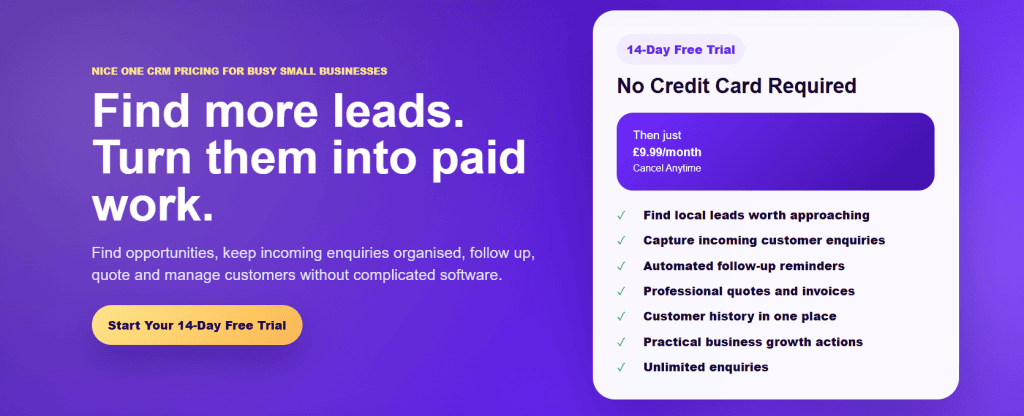
The official Nice One CRM pricing page advertises a subscription at £9.99 per month, alongside a 14-day free trial with no credit card required.
For a freelancer or small business owner, that is a relatively accessible starting point for a CRM that combines customer management and business administration.
My suggestion would be to use the trial properly. Add a few real customer records, organise some leads and test how the quotation and follow-up process fits your working routine. That will tell you much more than simply browsing the dashboard.
Check the official pricing page for the latest terms before signing up, as prices and plan details can change.
What I Like About Nice One CRM
The biggest attraction of this software is its practical approach. Small businesses don’t always need complicated software, especially when the owner is doing comple work for sales, customer service and administration.
A few things stand out:
- Straightforward organisation: Customer records, enquiries and follow-ups are brought together.
- Lead discovery: Lead Finder adds a prospecting element beyond basic contact management.
- Affordable pricing: The advertised monthly price is accessible to many smaller businesses.
- Less administrative clutter: Keeping information together can reduce the need to switch between different tools.
- Useful everyday features: Quotes, invoices and tasks address common business requirements.
There is one important distinction, though. Having these features available doesn’t automatically mean you’ll save hours every week. The benefit depends on your current process and how well the software fits it.
What Could Be Better?
A simpler CRM won’t necessarily work for every company.
Businesses with large sales teams may need advanced reporting, complex automation, extensive integrations or more sophisticated permission controls. Those requirements are worth checking before choosing Nice One CRM.
Lead Finder also shouldn’t be mistaken for a complete sales department. Discovering prospects is one thing; qualifying them, starting conversations and winning contracts is another.
If your business already runs on a powerful CRM with advanced automation and detailed reports, Nice One CRM might feel a little basic. Switching won’t make much sense unless it solves a problem your current software doesn’t.
Final Verdict
Keeping a small business organised isn’t always easy. One missed enquiry or a forgotten follow-up can mean losing a customer you might otherwise have won.
That’s where Nice One CRM could be useful. It gives you a place to manage leads, customer details, quotes, invoices and follow-ups without juggling several different tools.
The Lead Finder feature is another thing worth exploring, especially if finding new customers is a regular challenge for your business.
Of course, it won’t suit everyone. A growing company with a large sales team may need more advanced features. But for a freelancer, sole trader or small service business, a simpler setup can sometimes be exactly what is needed.
My advice? Give the 14-day free trial a proper go. Add a few customers, try the lead management tools and see how easily it fits into your daily routine. If it saves you time and helps you keep track of potential work, the subscription may be worth the cost.
You can explore the features and start your trial at Nice One CRM.

