Writing a book is exciting, but it is also one of the most challenging creative projects. Coming up with ideas is only the beginning. You still need to create an outline, build characters, write chapters, edit the content, design a cover, and finally prepare the book for publishing.
Many AI writing tools can help with paragraphs or blog posts, but very few are designed to handle an entire book from start to finish.
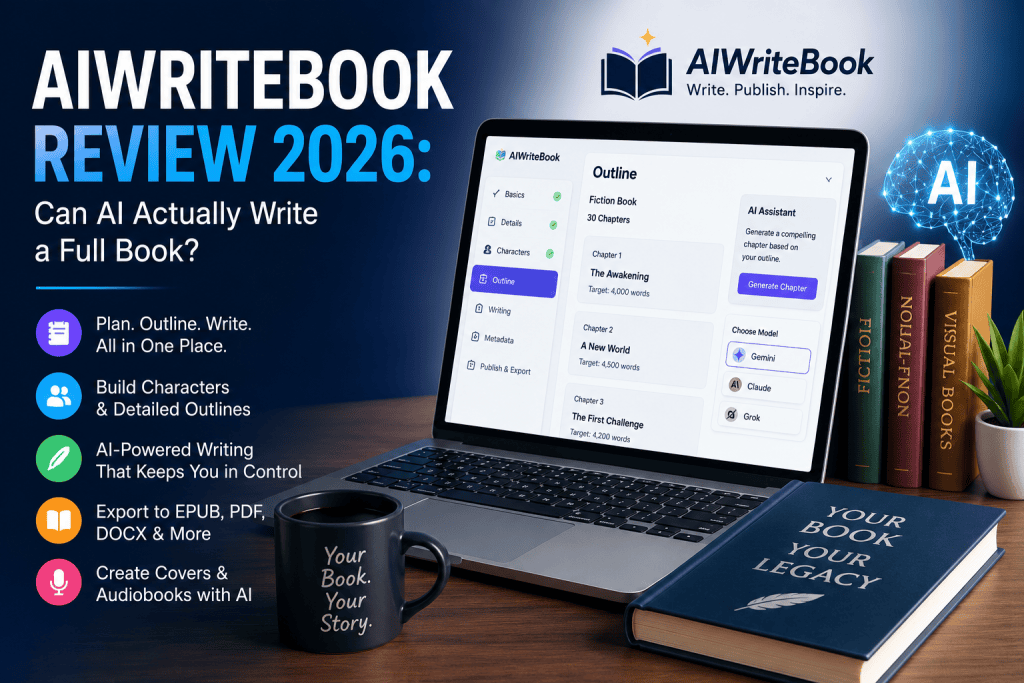
AIWriteBook aims to solve that problem by giving authors an all-in-one platform for planning, writing, editing, formatting, and exporting books. After exploring its features, we found that it offers one of the most complete book-writing workflows available today. It isn’t perfect, but it can save authors an enormous amount of time.
What Makes AIWriteBook Different?
Unlike traditional AI writing assistants that simply generate text from prompts, AIWriteBook follows a structured process.
Instead of jumping directly into writing, it helps you develop your idea step by step before generating chapters. This creates much better consistency throughout the entire manuscript.
Whether you’re writing fiction, non-fiction, or even visual books, the platform guides you through every stage.
Getting Started
The process begins with the basics.
You simply enter your book title, author name, preferred language, genre, description, and the number of chapters you want.
If you don’t have everything planned, there’s an AI option that can generate these details from a simple description of your idea.
This makes it easy even for first-time writers to begin a project.
Planning Before Writing
One of the strongest features is the planning stage.
You can specify:
- Target audience
- Writing style
- Tone
- Genre
- Plot direction
- Story development
There’s also an option to paste some of your own writing so the AI can better match your personal style.
While it doesn’t perfectly copy your voice, it does a respectable job of keeping the overall writing style closer to your own.
Character Creation
For fiction writers, character development is extremely important.
AIWriteBook allows you to build detailed character profiles including:
- Personality
- Background
- Appearance
- Motivation
- Goals
- Internal conflicts
- External conflicts
- Character arc
- Speaking style
Because these details stay connected throughout the writing process, later chapters remain much more consistent than what you’d typically get from a general AI chatbot.
Building the Outline
Before writing any chapter, AIWriteBook creates a complete outline.
Each chapter includes:
- Chapter title
- Summary
- Main events
- Locations
- Character interactions
- Plot twists
- Target word count
This planning stage significantly improves the quality of the generated chapters because the AI always knows where the story is heading.
Writing Chapters
Once the outline is complete, AIWriteBook begins generating chapters.
The editor includes several useful features such as:
- AI suggestions
- Grammar checking
- Story Bible
- Style improvements
- Accept or reject edits individually
Instead of replacing entire paragraphs automatically, suggested edits appear as changes that you can approve or reject. This gives writers much better control over their manuscript.
AI Models Available
Users can choose between different AI models depending on their needs.
Gemini works well for most books and offers a good balance between quality and credit usage.
Claude generally produces more polished writing and supports citations for non-fiction books, although it uses more credits.
Grok is available only for fiction when explicit content settings are enabled.
The flexibility to switch models during the writing process is something many competing tools don’t offer.
Cover Design and Export
Once the manuscript is ready, AIWriteBook can also help create the book cover.
Users can generate covers in multiple artistic styles or upload their own artwork.
After everything is complete, books can be exported as:
- EPUB
- DOCX
- Digital PDF
- Print-ready PDF
The print export includes proper trim sizes and bleed settings, making it suitable for platforms like Amazon KDP.
The platform also supports audiobook generation with multiple AI voices.
Pricing
AIWriteBook works using a credit system.
The Free plan allows users to test the platform without entering payment information. It includes the character builder, outline generator, and one complete AI-generated chapter.
Paid plans provide monthly credits, while additional credit packs are also available for users working on larger projects.
A typical 30-chapter novel generated with Gemini fits comfortably within the monthly allowance of the Plus plan. Using Claude requires more credits but generally produces higher-quality prose.
Complete plan details are available on the AIWriteBook pricing page.
What We Liked
Several features impressed us during testing.
The structured workflow helps maintain story consistency throughout long books.
The outline-first approach produces noticeably better chapters compared to simply asking an AI chatbot to continue writing page after page.
Export options are excellent, allowing authors to prepare books for publishing without using additional formatting software.
The editing interface is also thoughtfully designed, giving writers control over every suggested change.
Another welcome bonus is the collection of free author tools, including keyword research, royalty calculators, title generators, and category finders.
If you’re still comparing different writing platforms, their guide to the best AI writing tools for authors in 2026 is surprisingly balanced and covers several competitors as well.
Where It Could Improve
Despite its strengths, AIWriteBook isn’t perfect.
The biggest limitation is that AI-generated text still requires editing.
The writing is usually clear and organized, but it rarely reaches publish-ready quality without human revisions.
Illustrated books are another weak point.
Image consistency across multiple pages can be unreliable, especially for children’s books where characters need to remain visually identical.
Credits are also consumed each time you regenerate a chapter or cover, even if you’re unhappy with the previous result.
Finally, very long chapter requests often produce fewer words than expected, meaning additional editing or expansion may still be necessary.
Who Should Use AIWriteBook?
AIWriteBook is best suited for:
- Fiction authors
- Non-fiction writers
- Self-publishing authors
- Content creators writing ebooks
- Writers looking to speed up first drafts
However, it may not be the best choice if you’re expecting completely finished, publication-ready books with no editing required.
Likewise, authors creating heavily illustrated children’s books may want to wait until image consistency improves.
If your main goal is quickly creating structured stories, the platform’s AI story generator is one of its strongest features.
Final Verdict
AIWriteBook successfully delivers something many AI writing tools still struggle with—a complete book creation workflow.
Rather than acting as another text generator, it guides authors through planning, outlining, writing, editing, formatting, and exporting their manuscript in one place.
It won’t replace a human editor, and it isn’t perfect for illustrated books, but it dramatically reduces the time needed to create a solid first draft.
For authors who understand that AI should assist rather than replace the writing process, AIWriteBook is an excellent option.
If you’re curious, start with the free plan, generate a chapter, and evaluate the quality for yourself before upgrading.
Overall Rating: 8.5/10

