GIFs are everywhere. We use them in social media posts, websites, presentations, chats, and even product demos. But working with GIF files can sometimes be surprisingly annoying. You may want to crop one, extract a frame, reduce its size, or convert it into another format. Then you end up opening three or four different websites.
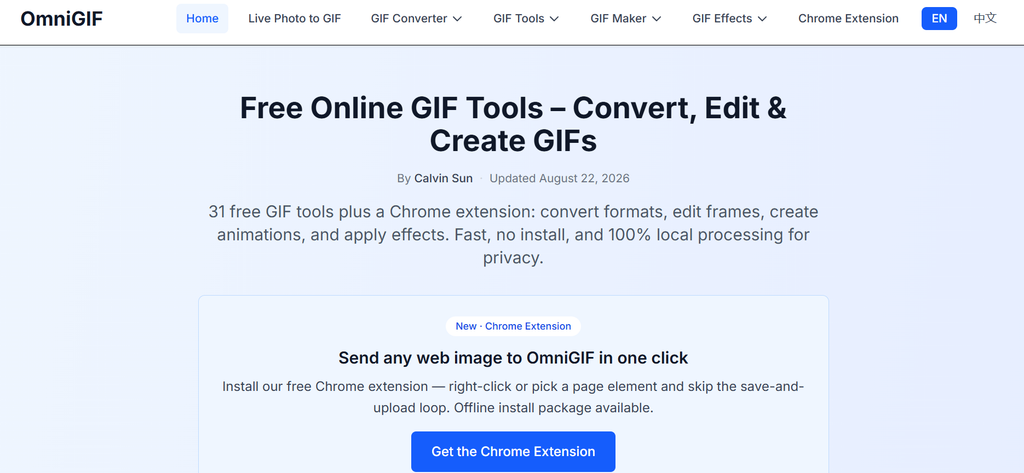
That is where OmniGIF comes in.
OmniGIF is a free online toolkit focused completely on GIF conversion, editing, frame handling, and effects. It works directly in the browser, so there is no software to install. More importantly, the processing happens locally on your device instead of uploading your files to a remote server.
What Is OmniGIF?
OmniGIF is basically a collection of small GIF utilities brought together in one place. At the time of writing, the website offers 29 free GIF tools covering conversion, editing, animation creation, and effects.
You can convert GIFs to PNG, WebP, or APNG. You can also extract individual frames, crop or trim an animation, reverse it, rotate it, flip it, add text, and compress the file.
There are some fun tools too. A shake effect. Glitch effects. Confetti. Pixelation. Even a spinning vinyl GIF maker.
So, it is not just another basic “upload GIF and download GIF” website.
Main Features
The first thing that stands out is the variety of tools. OmniGIF has separate sections for converters, GIF tools, GIF makers, and effects, which makes the site easier to explore.
The GIF Frame Viewer is useful when you need to inspect an animation frame by frame. You can check how the animation is actually built instead of guessing why a particular GIF looks strange.
The GIF Frame Extractor and GIF to Frames tools are handy for designers and content creators who need individual images from an animation.
Then there are practical editing options. You can crop a GIF, trim unnecessary parts, reverse the playback, rotate it or flip it. The newer Add Text tool also lets users place captions over animations with controls for fonts, size, stroke, shadow, alignment, opacity and more.
Need a smaller file? OmniGIF also includes GIF compression tools, including an option to target sizes such as 1MB, 2MB, 5MB, or 10MB.
Format Conversion Is Quite Useful
One reason I would use OmniGIF is its format support.
You can convert GIFs to WebP, PNG, and APNG. WebP is especially useful when you want an animated file that takes less space. APNG can be a better option when richer colors and transparency are important. PNG is useful when you only need a still frame.
The platform also supports multiple PNG images to GIF and APNG to GIF conversion.
It sounds simple, but having these options in one browser tool saves time.
Privacy: One of Its Biggest Advantages
This is probably the strongest part of OmniGIF.
Your files are processed locally in your browser. According to the service, GIFs and Live Photos are not uploaded to its servers for conversion.
That matters more than it may seem.
Imagine you have a private screenshot, an unpublished product demonstration, or a personal Live Photo. Uploading that media to an unknown online converter may not feel comfortable. With local processing, the actual file stays on your device during the conversion process.
No account is required for the core tools either, and downloads do not have a watermark.
Nice and straightforward.
Is OmniGIF Easy to Use?
Yes. The basic workflow is almost impossible to overcomplicate.
Choose a tool. Add your file. Adjust the settings if needed. Preview the result where available. Download it.
The help documentation recommends keeping GIF files under 10MB for optimal performance, since larger animations can require more browser memory.
That is one limitation worth remembering. Browser-based processing is convenient, but very large or complicated GIFs may put more pressure on your computer.
Pricing
Here is the easy part: OmniGIF is free.
The core GIF conversion and frame tools are available without a paid unlock, and downloaded files are not watermarked.
For someone who only occasionally needs to edit or convert a GIF, this is a big advantage. There is no subscription just to perform a simple task.
Final Verdict
After looking through its features, OmniGIF feels more like a complete GIF toolbox than a single-purpose converter.
It is especially useful for designers, bloggers, marketers, developers, and everyday users who regularly deal with animated images. The combination of conversion, frame extraction, editing, compression, effects, and local processing makes it quite practical.
It is not trying to replace professional video-editing software. And it doesn’t need to.
If you need quick GIF work without installing software, creating an account, or sending your files to a server, OmniGIF is worth trying. It keeps things simple. That may actually be its biggest strength.

